
1. Navigate to https://keepersecurity.com/vault/#
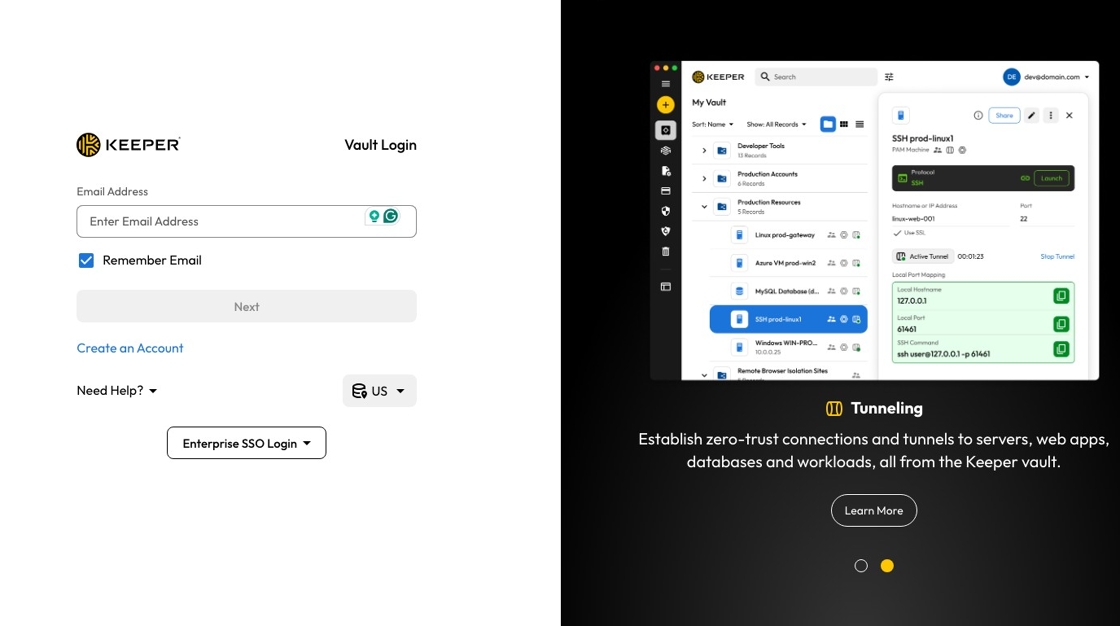
2. Click the "Enter Email Address" field.

3. Type your email address.
4. Click "Next".

5. Type your email address again.
6. Click "Submit".

7. Enter your password (same one you sign into your laptop with).
8. Click "Submit".

9. Click "Submit".

10. Welcome to your vault!

If you cannot log in to Keeper
Reach out to the support team so they can help troubleshoot and, if needed, walk you through account recovery.
You can use the vendor's support email, text/phone channel, or book time for a live support session.
You can also review the product Help Center for additional documentation and login guidance.
Comments
0 comments
Please sign in to leave a comment.