
Accessing your voicemail in the desktop & web app
- In the left navigation bar, click Inbox.
- Click the Voicemail tab.
-
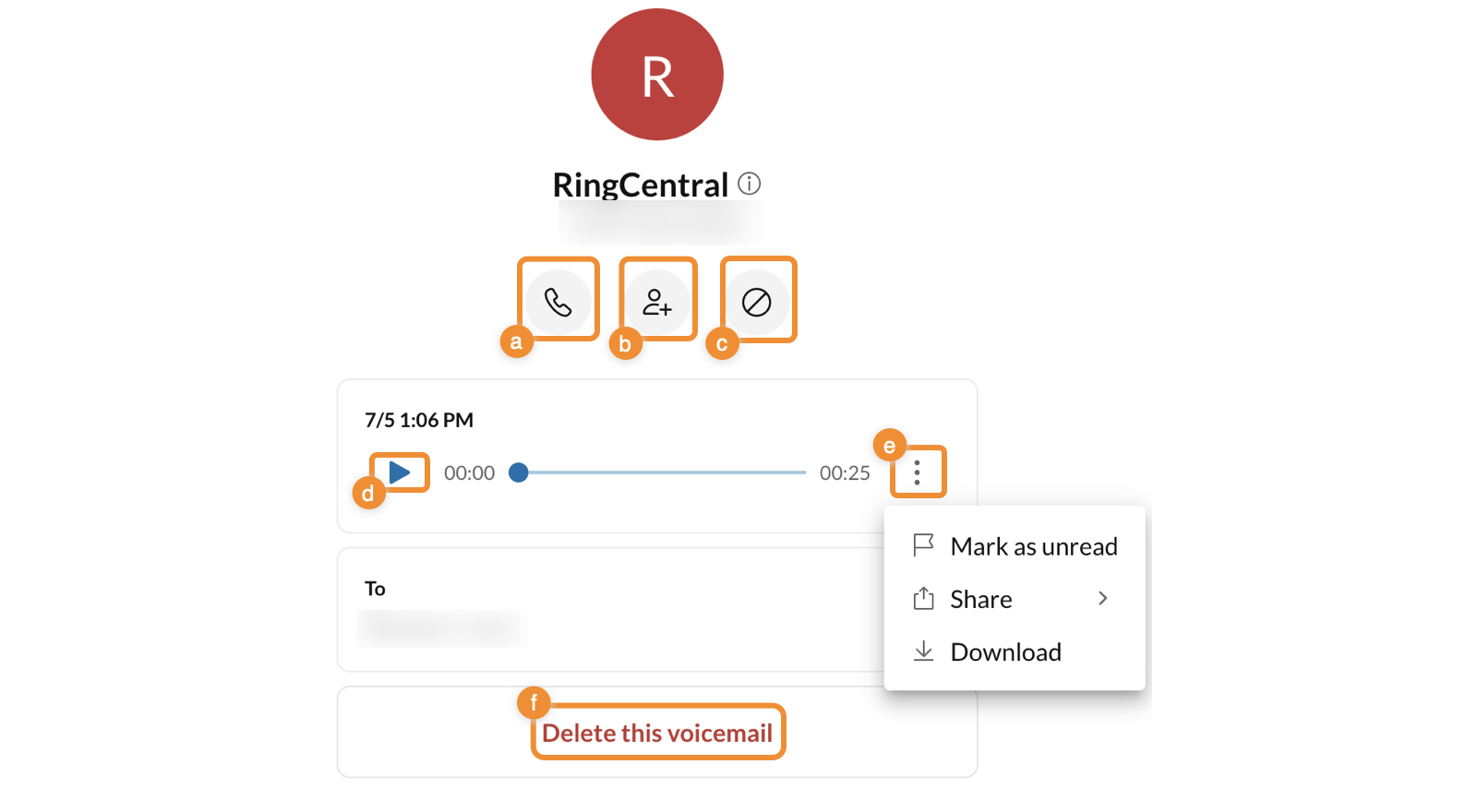
Click a recording to open the detailed view in the right pane. You’ll see the sender, duration, and transcript. Here you can:
-
Call: Click to call back the sender. (a)
-
Add contact: Click to add contact. (b)
- Block and report: Block the contact who left the voicemail. Click Block or Block and report spam in the popup to confirm. (c)
- Play/Pause: Play or pause the voicemail. (d)
-
More: Click the three-dot icon to: (e)
-
Mark as unread: Change voicemail to unread or read.
-
Share: Share the message as an audio file.
-
Download: Save the message as an audio file.
-
-
Delete: Delete the voicemail. Click Delete in the popup to confirm. (f)
-
Comments
0 comments
Please sign in to leave a comment.