
Prevent the Winmail.dat file attachment with Outlook Settings Changes
All of the steps below do require that you have access to the Outlook client settings. If your access levels prevent you from making these changes then you will need to speak with your administrator before these changes can be made.
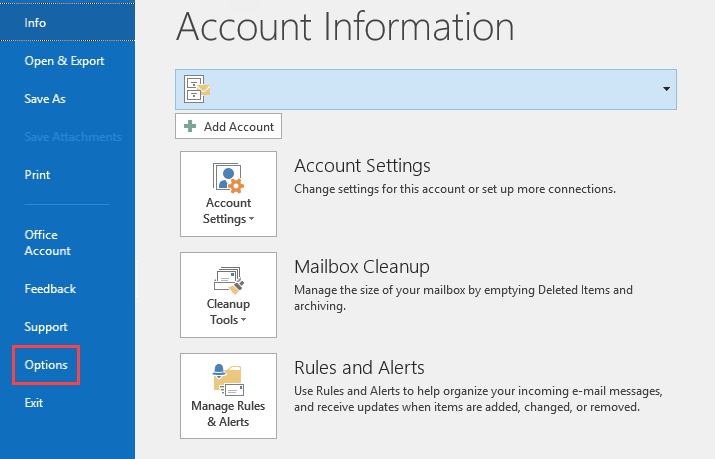
- Login to Outlook, then click on File to go to the Account Information page. Click on Options.
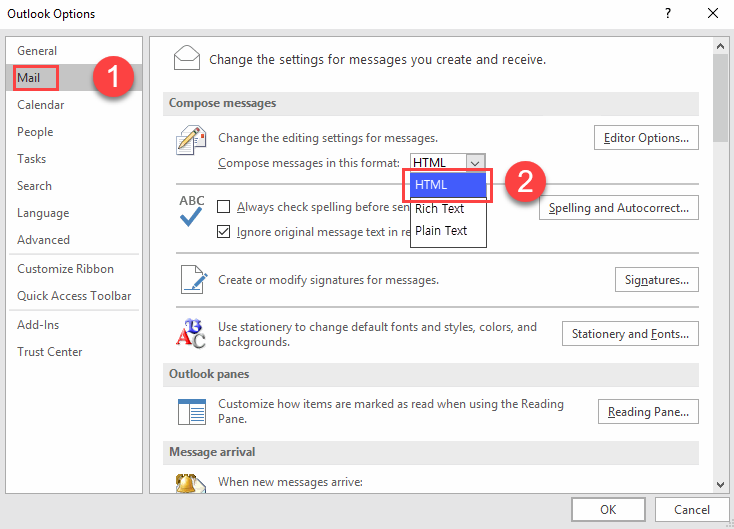
- Next, in the column at left click on Mail. Then go to the section labeled Compose messages. In the drop-down menu next to Compose messages in this format, click on HTML or Plain Text. Any messages that you compose will automatically be set to this format.
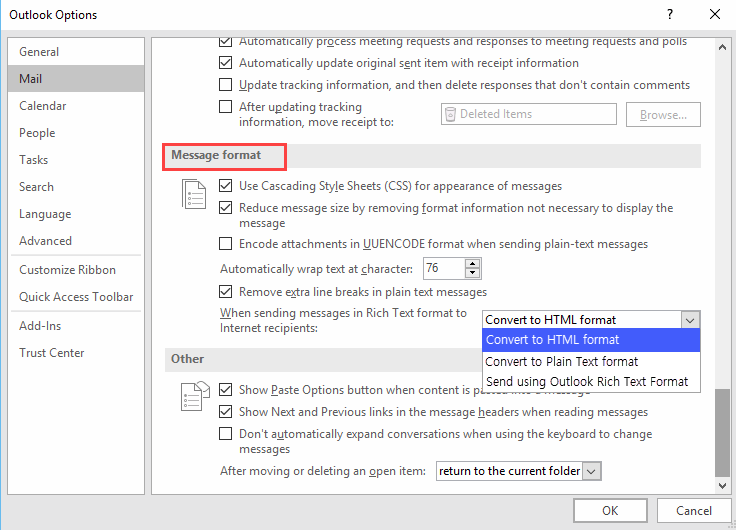
- After you have set your message composer to use HTML, we have to go the Message format section for one other setting. Scroll down until you find When sending messages in Rich Text format to Internet recipients. Click on the drop-down menu and make sure that it set to Convert to HTML format. Click OK when you’re done with your changes in order to save your settings.
Comments
0 comments
Please sign in to leave a comment.